Posts

Showing posts with the label abap events

Sample Program On AT SELECTION-SCREEN ON VALUE REQUEST FOR field - 2.

Image
REPORT ztest. PARAMETERS : p_file TYPE rlgrap-filename. AT SELECTION-SCREEN ON VALUE-REQUEST FOR p_file. CALL FUNCTION 'KD_GET_FILENAME_ON_F4' CHANGING file_name = p_file EXCEPTIONS mask_too_long = 1 OTHERS = 2. IF sy-subrc <> 0. ENDIF. OUTPUT: On pressing F4 on the field, ALSO READ: - ABAP EVENTS During Runtime Of A Report Program. - INITIALIZATION Event - Introduction With A Sample Code. - AT SELECTION-SCREEN Event - Introduction With A Sample Code. - AT SELECTION-SCREEN OUTPUT Event - Introduction With A Sample Code. - AT SELECTION-SCREEN ON VALUE REQUEST- Introduction With A Sample Code. - AT SELECTION-SCREEN ON HELP REQUEST- Introduction With A Sample Code. - AT SELECTION-SCREEN ON - Introduction With A Sample Code. - Sample Program On AT SELECTION-SCREEN OUTPUT - 1. - Sample Program On AT SELECTION-SCREEN OUTPUT - 2. - Sample Program On AT SELECTION-SCREEN OUTPUT - 3. - Sample Program On AT SELECTION...

Sample Program On AT SELECTION-SCREEN ON VALUE REQUEST FOR field - 1.

Image
REPORT ztest. PARAMETERS: p_ebeln TYPE ekpo-ebeln. TYPES: BEGIN OF x_ekpo, END OF x_ekpo. DATA: it_ekpo TYPE STANDARD TABLE OF x_ekpo, wa_ekpo TYPE x_ekpo, it_return TYPE STANDARD TABLE OF ddshretval, wa_return LIKE LINE OF it_return. AT SELECTION-SCREEN ON VALUE-REQUEST FOR p_ebeln. SELECT * UP TO 2 ROWS FROM ekpo INTO CORRESPONDING FIELDS OF TABLE it_ekpo. CALL FUNCTION 'F4IF_INT_TABLE_VALUE_REQUEST' EXPORTING retfield = 'EBELN' window_title = 'EKPO Records' value_org = 'S' TABLES value_tab = it_ekpo return_tab = it_return EXCEPTIONS parameter_error = 1 no_values_found = 2 OTHERS = 3. READ TABLE it_return INTO wa_return INDEX 1.     p_ebeln = wa_return-fieldval. OUTPUT: ALSO READ: - ABAP EVENTS During Runtime Of A Report Program. - INITIALIZATION Event - Introduction With A Sample Code. - AT SELECTION-SCREEN Event - Introduction With A Sample Code. - AT SELECTION-S...

Sample Program On AT SELECTION-SCREEN OUTPUT - 4.

Image
PROGRAM ztest. TYPE-POOLS : vrm. DATA: p_temp TYPE vrm_id, it_value TYPE vrm_values, wa_value TYPE vrm_value. PARAMETERS: p_cond(10) AS LISTBOX VISIBLE LENGTH 15 . AT SELECTION-SCREEN OUTPUT. p_temp = 'P_COND'. wa_value-key = '1'. wa_value-text = 'YES'. APPEND wa_value TO it_value. wa_value-key = '2'. wa_value-text = 'NO'. APPEND wa_value TO it_value. wa_value-key = '3'. wa_value-text = 'NOT SURE'. APPEND wa_value TO it_value. CALL FUNCTION 'VRM_SET_VALUES' EXPORTING id = p_temp values = it_value EXCEPTIONS id_illegal_name = 1 OTHERS = 2. IF sy-subrc <> 0. MESSAGE ID sy-msgid TYPE sy-msgty NUMBER sy-msgno WITH sy-msgv1 sy-msgv2 sy-msgv3 sy-msgv4. ENDIF. OUTPUT: ALSO READ: - ABAP EVENTS During Runtime Of A Report Program. - INITIALIZATION Event - Introduction With A Sample Code. - AT SELECTION-SCREEN Event - Introduction With A Samp...

Sample Program On AT SELECTION-SCREEN OUTPUT - 3.

Image
REPORT ztest. TABLES: zcust_req_header. DATA : v_chk_mdcc_appr(1). DATA : req_no1 TYPE zcust_req_header-req_no. DATA : it_tmp_req_hdr TYPE STANDARD TABLE OF zcust_req_header WITH HEADER LINE, wa_tmp_usr21 TYPE usr21. *--------------------------------------- * Selection Screen *--------------------------------------- SELECTION-SCREEN BEGIN OF BLOCK b1 WITH FRAME TITLE title1 NO INTERVALS. SELECT-OPTIONS: s_req_no FOR zcust_req_header-req_no. SELECT-OPTIONS: s_crt_by FOR zcust_req_header-created_by NO-EXTENSION NO INTERVALS DEFAULT sy-uname. SELECTION-SCREEN END OF BLOCK b1. SELECTION-SCREEN BEGIN OF BLOCK b2 WITH FRAME TITLE title2 NO INTERVALS. PARAMETERS: p_r1 RADIOBUTTON GROUP rad2 MODIF ID bl3 , " All p_r2 RADIOBUTTON GROUP rad2 DEFAULT 'X' MODIF ID bl3 ," CREATED should be selected by default p_r3 RADIOBUTTON GROUP rad2 MODIF ID bl3 , " Rejected p_r4 RADIOBUTTON GROUP rad2 MODIF ID bl3. " Approved by ABC team ...

Sample Program On AT SELECTION-SCREEN OUTPUT - 2.

Image
REPORT ztest. TABLES: pa0000, pa0001. PARAMETERS: p_chk1 AS CHECKBOX USER-COMMAND rusr, p_chk2 AS CHECKBOX USER-COMMAND rusr. SELECTION-SCREEN: BEGIN OF BLOCK blk1 WITH FRAME. SELECT-OPTIONS: s_pernr FOR pa0000-pernr MODIF ID a, s_stat2 FOR pa0000-stat2 MODIF ID d. SELECTION-SCREEN: END OF BLOCK blk1. AT SELECTION-SCREEN OUTPUT. LOOP AT SCREEN.    IF screen-group1 = 'A'.       IF p_chk1 = 'X'.           screen-active = 1.       ELSE.           screen-active = 0.       ENDIF.     MODIFY SCREEN.    ENDIF.    IF screen-group1 = 'D'.        IF p_chk2 = 'X'.            screen-active = 1.        ELSE.            screen-active = 0.        ENDIF.     MODIFY SCREEN.    ENDIF. ENDLOOP. ...

Sample Program On AT SELECTION-SCREEN OUTPUT - 1.

Image
This sample program will show how by selecting a particular radio button the selection screen will be modified. REPORT ztest. TABLES : mara, sscrfields. DATA : d_ucomm TYPE sscrfields-ucomm. SELECT-OPTIONS: s_matnr FOR mara-matnr. PARAMETERS: p_werks LIKE mard-werks. PARAMETERS : r1 RADIOBUTTON GROUP g1 USER-COMMAND sel, r2 RADIOBUTTON GROUP g1, r3 RADIOBUTTON GROUP g1. AT SELECTION-SCREEN OUTPUT. IF d_ucomm = 'SEL'. IF r3 = 'X'.   LOOP AT SCREEN.     IF screen-name = 'P_WERKS'.         screen-input = 0.         MODIFY SCREEN.     ENDIF.   ENDLOOP. ENDIF. ENDIF. AT SELECTION-SCREEN. d_ucomm = sscrfields-ucomm. OUTPUT: On selecting the third radio button: ALSO READ: - ABAP EVENTS During Runtime Of A Report Program. - INITIALIZATION Event - Introduction With A Sample Code. - AT SELECTION-SCREEN Event - Introduction With A Sample Code. - AT ...

ABAP Events - AT SELECTION-SCREEN ON field - Introduction With Sample Program.

Image
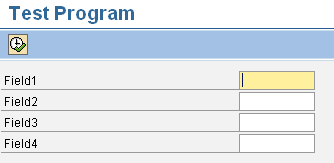
AT SELECTION-SCREEN ON <field> Event With A Sample Program This event can be used if the user wants checks or validations to be carried out for a particular field on the selection screen. At Selection-Screen On <field> and At Selection-Screen events , both do the same job i.e. validating the input fields present on the selection screen. The only difference is At Selection-screen event is used to validate all the fields on the selection screen where as At Selection-Screen On <field> event is used to validate a particular field in the selection screen. Suppose there are 4 input fields in the selection screen, we want validation for input field FIELD1 only. Using AT-SELECTION-SCREEN ON <field>: REPORT ztest. PARAMETERS: p_field1 TYPE char10, p_field2 TYPE char10, p_field3 TYPE char10, p_field4 TYPE char10. AT SELECTION-SCREEN ON p_field1. IF p_field1 IS INITIAL. MESSAGE 'Please enter a value in Field1.' TYPE 'E'. ENDIF. ...

ABAP Events - AT SELECTION-SCREEN ON HELP REQUEST FOR field.

Image
AT SELECTION-SCREEN ON HELP REQUEST FOR <FIELD>. This event is triggered when the user hits F1 on the field in a selection screen . This event gets triggered at the POH of the selection screen. This event is used when we want to display some kind of documentation related to a specific field in the selection screen. In short using this event, a self-programmed help for the input/output field in the selection screen, can be implemented. If the program contains such an event and the user presses F1 , the system processes this rather than displaying the documentation of the Dictionary field - even if the report parameter or the selection option with LIKE or FOR points to a Dictionary field. The event is triggered when the user calls the F1 help for the field <field>. If this event has not been defined, the help from the ABAP Dictionary is displayed, or none, if the field has no Dictionary reference. Also remember that if there is a select-option field, then thi...

ABAP Events - AT SELECTION-SCREEN ON VALUE REQUEST FOR field.

Image
AT SELECTION-SCREEN ON VALUE REQUEST FOR <FIELD>. This event is triggered when the user hits F4 on the field in a selection screen. This event gets triggered at the POV of the selection screen. If an input field declared in an executable program refers to a field in the ABAP Dictionary for which possible entries help is defined, the list of values from the Dictionary is automatically displayed when the user calls the F4 help for that field. In case, if a user wants to create possible values help for report input fields that have no Dictionary reference, or to override the Dictionary input help linked to the field, he/she can create one by using AT SELECTION-SCREEN ON VALUE-REQUEST FOR <field> event . Also remember that if there is a select-option field, then this event has to be written twice i.e. one for field-low and another for field-high. SAMPLE PROGRAM: REPORT ztest . TABLES: t001. TYPES: BEGIN OF x_t001, bukrs TYPE t001-bukrs, butxt TYPE t0...

ABAP Events - AT SELECTION-SCREEN OUTPUT Keyword, Example With Output.

Image
All About AT SELECTION-SCREEN OUTPUT Event With A Sample Code. This event gets triggered at the PBO of the selection screen every time the user presses “ENTER” button on the selection screen. In simple words, this event is triggered after loading the selection screen into memory but before it is displayed to the user. This event can be used to change the properties of the selection screen fields dynamically. Hence this event allows us to modify the selection screen and its fields directly before it is displayed. Attributes related to any selection screen fields are saved in a workarea called SCREEN during this event. In case you try to use two or more AT SELECTION-SCREEN OUTPUT events, you will get an error message “The event AT SELECTION-SCREEN OUTPUT was already specified in the program.” For example, if you select some radiobutton in the selection screen then you want some of the fields should become invisible or grayed out. Such scenarios can be achieved by using thi...

SAP ABAP-AT SELECTION-SCREEN Event, Example With Output.

Image
At Selection-Screen Event gets triggered right after the Initialization event. This event is basically used to validate fields present in selection screen. Through this event, checks can be incorporated on selection screen fields and appropriate message can be sent back to the screen/user. In simple words, when the user enters the value in the fields of the selection screen and executes it , AT SELECTION-SCREEN event gets triggered. It is used to check or validate the values entered by the user for the fields on selection screen. Authority checks can also be performed in this event. This event gets triggered in two ways: When the user enters the value in the fields of selection screen and executes it (F8). When the user enters the “ENTER” BUTTON on the selection screen. DIFFERENT TYPES OF AT SELECTION-SCREEN EVENTS (In order of execution): At Selection-Screen Output. At Selection-Screen On Value Request For <Field>. At Selection-Screen On Help Request For ...

SAP ABAP - INITIALIZATION Events, Examples With Output.

Image
Initialization event gets triggered when the program is loaded in memory but before the selection screen processing. This event gives an opportunity to initialize the input fields of the selection screen. Initialization is an event that can be used for setting default values on selection fields , setting a title bar, assigning text to pushbuttons, etc. at runtime. Initialization event block can also be used to perform authority checks. SAMPLE PROGRAM - 1: REPORT ztest. SELECTION-SCREEN BEGIN OF BLOCK rad1 WITH FRAME TITLE title. PARAMETER: p_budat LIKE bsid-budat OBLIGATORY. SELECTION-SCREEN END OF BLOCK rad1. INITIALIZATION. title = 'Selection'. p_budat = '20110825'. AUTHORITY-CHECK OBJECT 'Z_BUDAT' ID 'ZCHECK' FIELD 'BUDAT'. IF sy-subrc EQ 0. ..... ENDIF. START-OF-SELECTION. WRITE: 'START-OF-SELECTION Event Initialized'. OUTPUT: On executing / F8: The output is as expected: Also remember...